

Stripe Custom Payment Method
How to integrate Truemed with Stripe
What is a Stripe Custom Payment Method?
Stripe Custom Payment Methods are the easiest way for partners already on Stripe to integrate Truemed into their existing payment flows. Specifically, it enables:
- Payment Element integration (minimal frontend changes)
- Payment Intents that reflect Truemed payments (minimal backend & accounting changes)
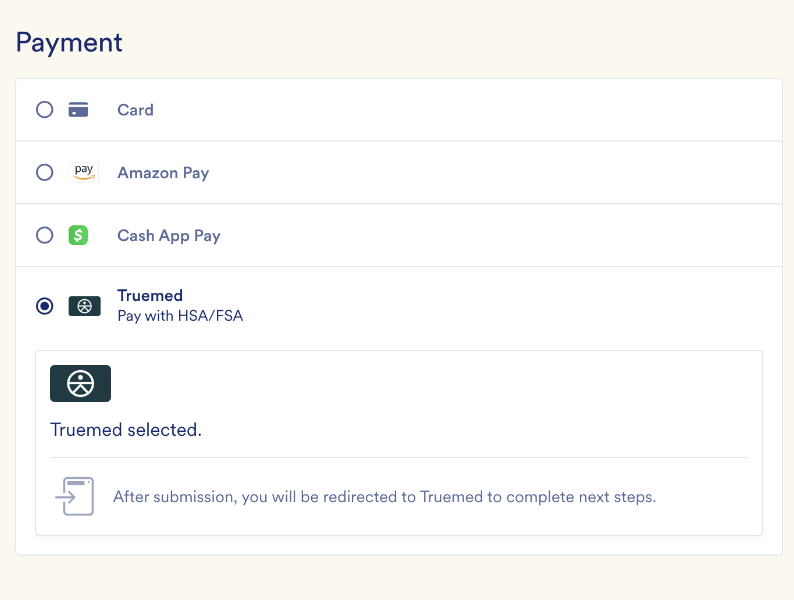
The end result is something like this, with minimal code changes:
Getting Started
You’ll need 3 things before implementation:
- An existing payment flow that uses Stripe
- A Truemed API key
- Access to 2 new features within Stripe (ask your Stripe rep to enable these):
- Custom Payment Methods
- Integrate with third-party payment processors (also called “Payment Records”)
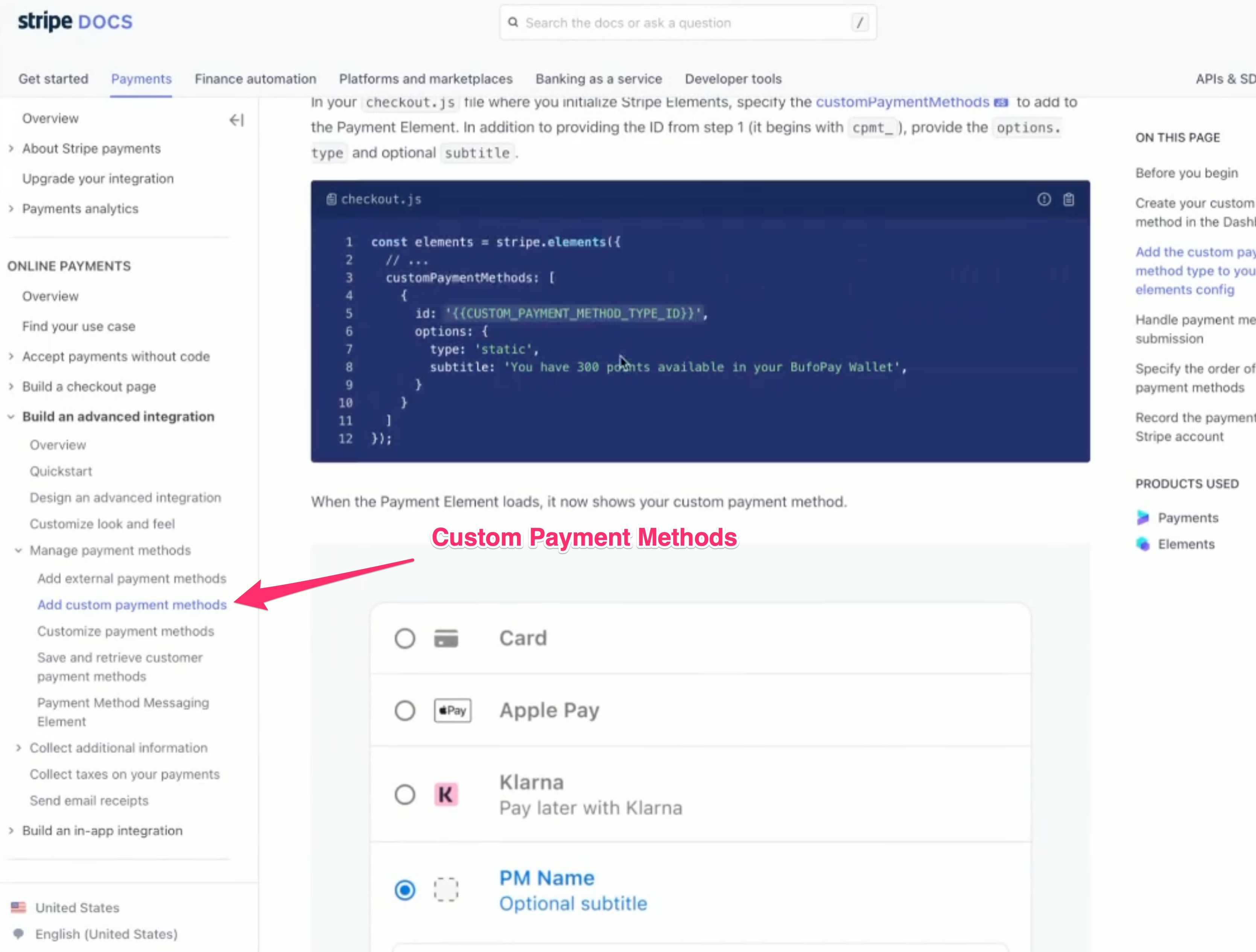
Stripe provides standard payment methods including Apple Pay and Affirm, but allows custom payment methods for any purchases that require more context than the standard Payment Intent provides. In Truemed’s case, this is the order_items field that we use to determine eligibility (or split eligibility).
Payment Element Integration
Once enabled, the Custom Payment Method docs explain how to add the Truemed option and implement a handler function when customers select it.
Payment Records
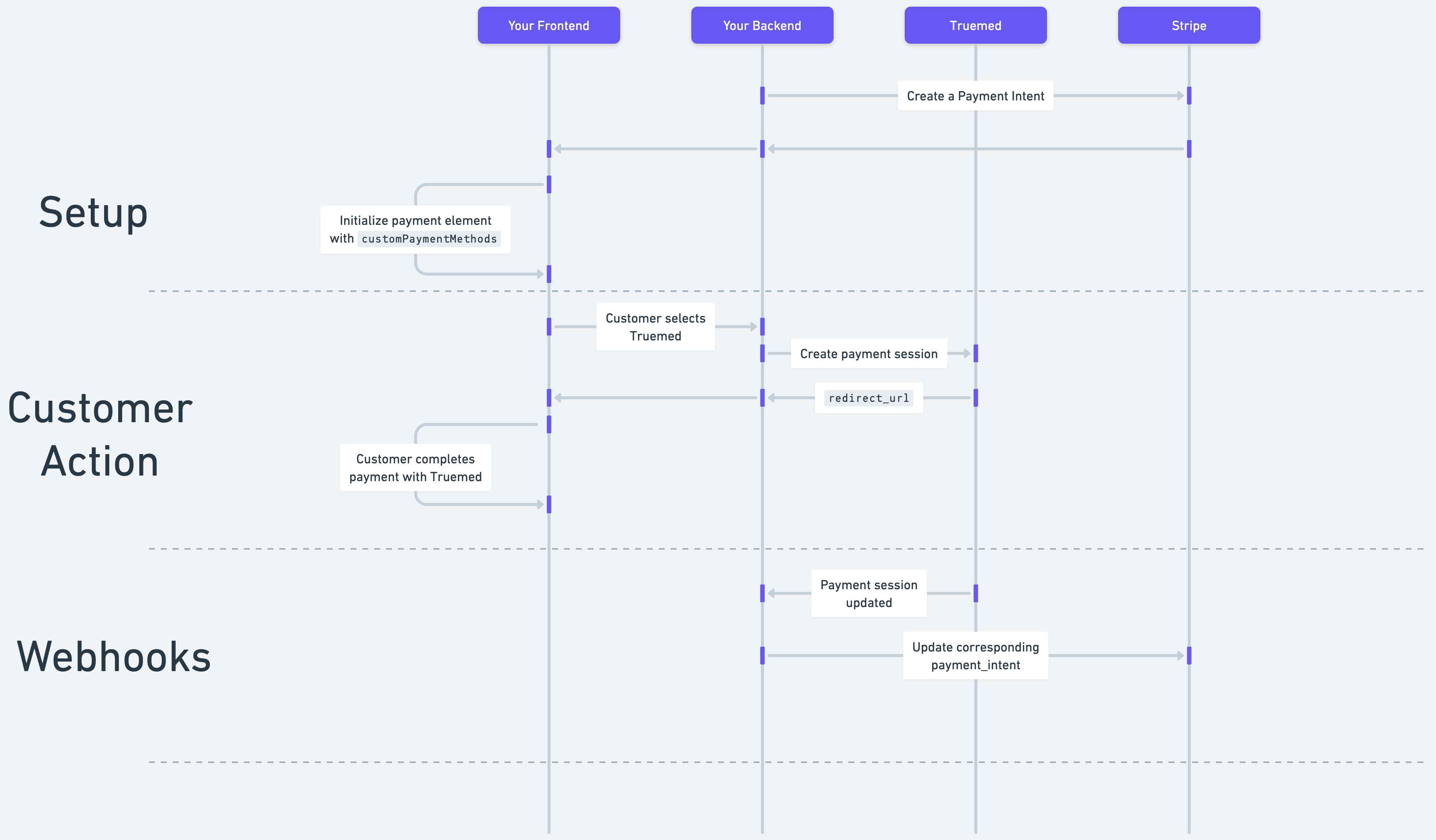
There are 3 key flows to consider, each of which requires minimal code changes to your payment flow:
Setup
You’ll pass additional fields about the Truemed payment option when creating the Payment Intent and when initializing the Stripe Element, as outlined in the Stripe docs.
Customer Action
Once the user selects the Truemed payment option, Stripe will call a custom handler function on your frontend. In this function, you should have your backend create a Truemed payment session and associate it with the Stripe payment intent (most partners use the metadata field on the Truemed payment session or on the Stripe payment intent, in addition to a record in their internal database).
Your frontend should redirect the customer to the returned redirect_url (or show it in an embedded iFrame).
Webhooks
As a customer completes the Truemed payment session, your backend will receive webhook updates and must simply reflect these updates in the associated Stripe payment intent.
Questions
Reach out to support@truemed.com with any implementation questions, or contact your Truemed rep for a consultation call with our technical team.