

How To Test
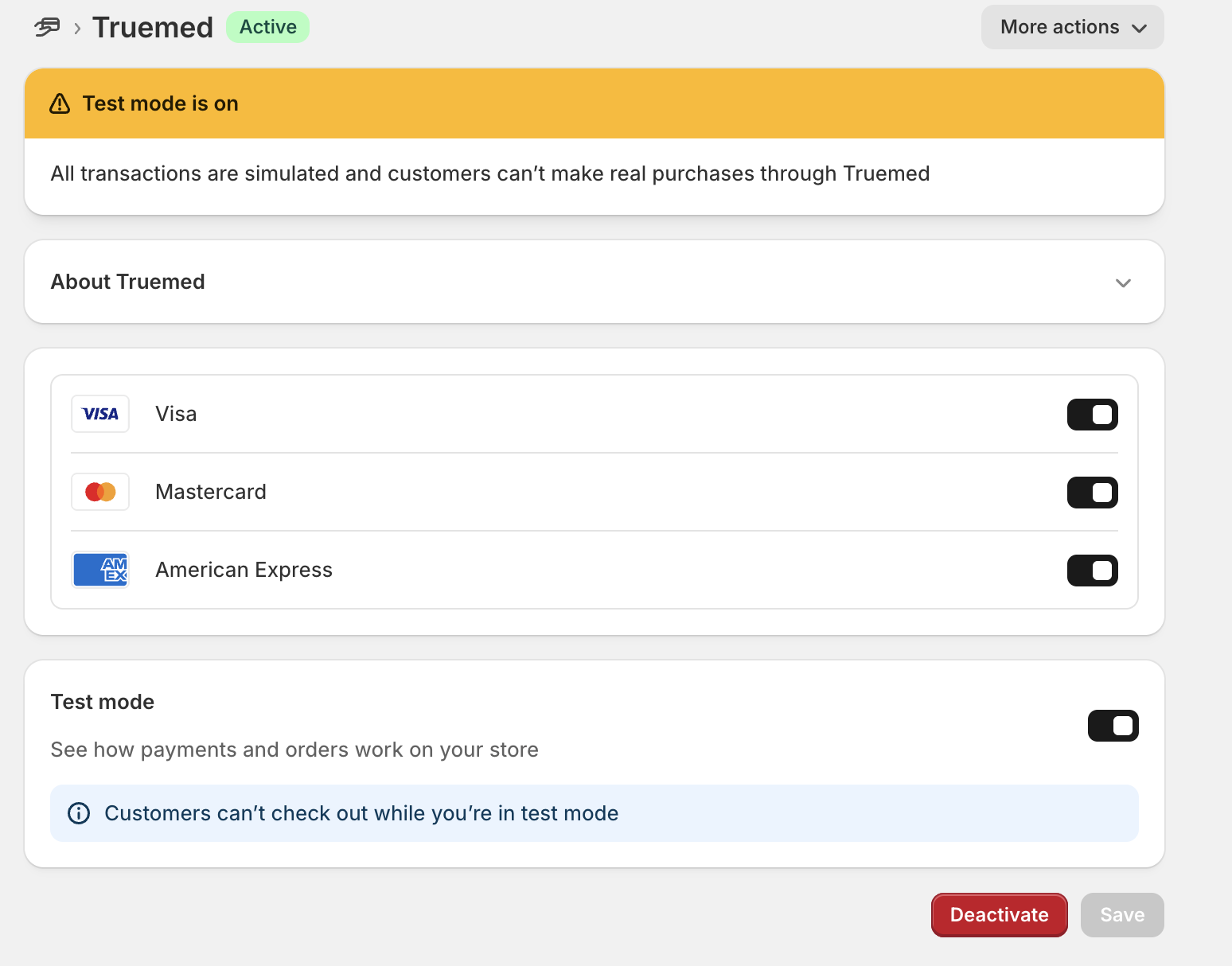
Our app can be placed in “test mode” by toggling on the below setting inside of the app settings.
Activate Test Mode
Enable the Truemed Payments App in Test Mode.
Important: Apps activated in Test Mode are still visible to customers at checkout. We strongly recommend testing only in a Shopify test store, not on a live, customer-facing store.
Place a Test Order
From your storefront, place an order and select Truemed at checkout.
Use the test card:
- Card number: 4242 4242 4242 4242
- Expiration: any future date
- CVC / ZIP: any values
This will create a test transaction without charging real funds.
Review the Order in the Truemed Dashboard
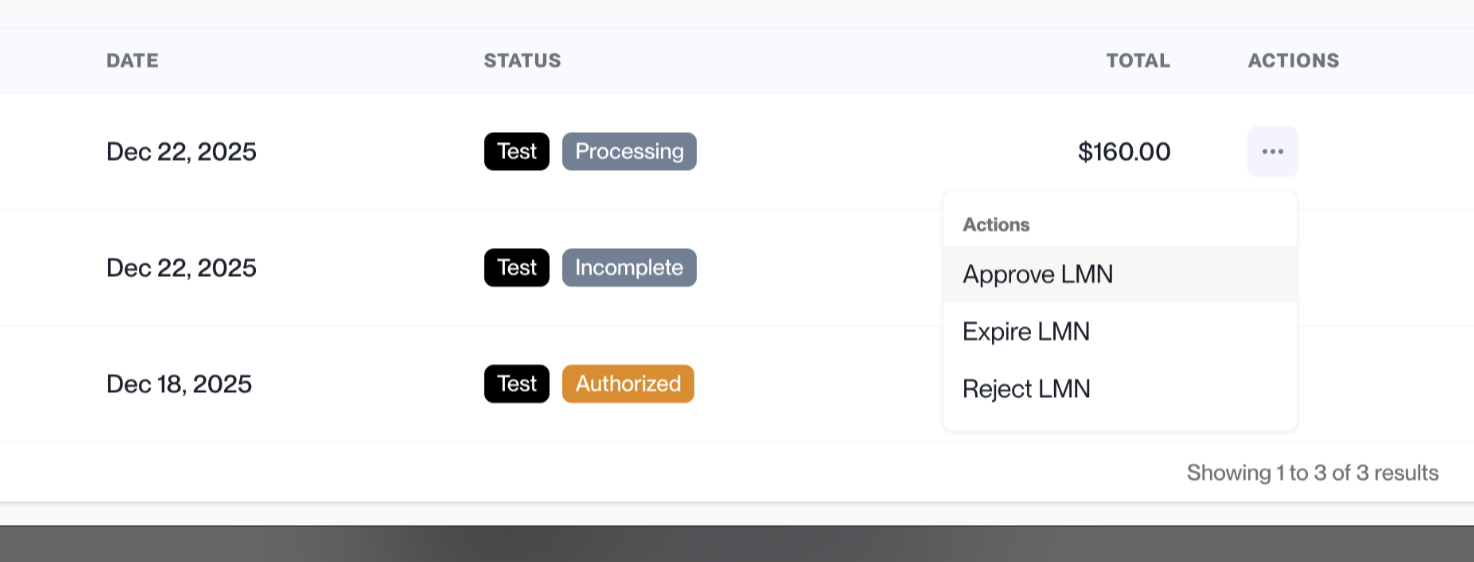
Navigate to the Truemed Partner Dashboard (app.truemed.com) → Payments tab.
From the Actions menu on the order, you can:
- Accept the order
- Reject the order
- Expire the order
View the Order in Shopify
Go to your Shopify Admin → Orders view to see how the order appears on your end, including its financial status and payment details.
This allows you to confirm that the full Truemed flow, from checkout through order visibility, is working as expected.