

Reconciling Payments with the API
The Reconciliations API lets you pull the same charge, refund, fee, dispute, and payout data you see in the Truemed Partner Dashboard—programmatically. Use it to tie Truemed activity back to your own ledger, match bank deposits to underlying orders, and replace manual CSV exports with a scheduled sync.
Why it matters
Reconciliation is normally a manual process: download a CSV from the dashboard, open it in a spreadsheet, and match rows against your orders and bank statements. The Reconciliations API turns that into a routine integration:
- Automate end-of-month close — Pull a date range on a schedule and feed it directly into your accounting system or data warehouse.
- Match bank deposits to orders — Every transaction row carries the
payout_idthat ties it to a specific Stripe payout, so you can trace a bank deposit back to the individual charges that funded it. - Track fees and disputes alongside revenue — Charges, refunds, Truemed fees, and disputes
all come back in one stream, typed by
type, so your books stay aligned with what hit your account. - Stay current without dashboard logins — Pull the data your finance team needs without exporting from the UI.
How it works
There are two endpoints. Most integrations call both: payouts to match the bank, transactions to break each payout down into its underlying activity.
List payouts for a date range
Call GET /api/v1/reconciliation/payouts
with a start_date and end_date. You’ll get a paginated list of payouts—each with a
payout_id, arrival date, and amount—that you can match against deposits in your bank
account.
List the transactions that funded those payouts
Call GET /api/v1/reconciliation/transactions
for the same date range. Each row represents a single piece of activity—a charge, refund,
Truemed fee, or dispute—and carries the payout_id it was settled in (or null if it
hasn’t paid out yet).
Important URLs
Authentication
Both endpoints accept the same authentication as the rest of the Truemed API — your merchant
API key, sent in the x-truemed-api-key header. You can create and manage keys yourself from
the Developers tab of your Truemed dashboard.
Shopify merchants: the Developers tab isn’t enabled by default. To generate an API key, contact your Truemed point of contact or merchants@truemed.com and ask to have developer-portal access enabled on your account. Once it’s turned on, the Developers tab appears in your dashboard and you can create a key there.
Transaction row types
The type field on each transaction row tells you what kind of activity it represents:
Matching rows to Shopify orders
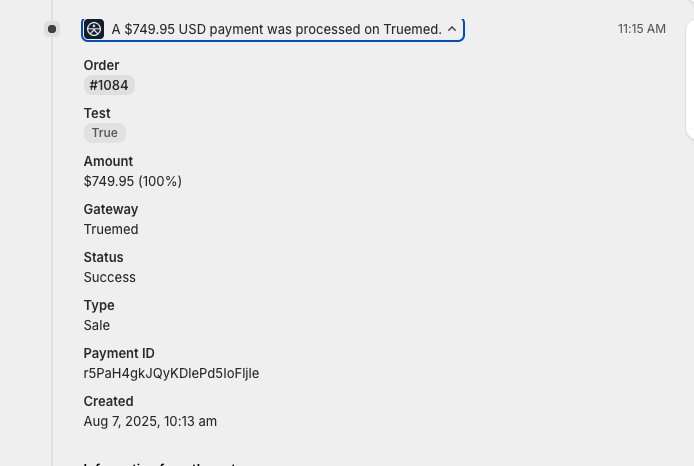
The single field that ties a Truemed transaction row to a Shopify order is payment_id — for
Shopify merchants this is the order’s Payment Reference (the same value the Partner Dashboard
CSV labels Shopify ID).
Worked example
A Charge row from GET /api/v1/reconciliation/transactions
looks like this:
Field reference
When reconciling a Shopify order, these are the fields you’ll use most:
payment_id is populated for Shopify orders. For integrations that don’t supply a platform
payment reference it may be null; in that case, match on order_id instead.
This is the programmatic equivalent of the manual CSV matching described in Reconciliation & Truemed Order Details.
Linking rows to payouts
Each transaction row carries:
payout_id— The payout the row was (or will be) settled in.nulluntil the funds settle, then populated with the matchingpayout_idfrom/payouts.payout_date— The arrival date of that payout. Alsonulluntil settlement.
Once a row is settled, payout_id lets you roll transaction rows up to the payout level and
verify that the sum (charges + refunds + fees) equals the payout amount that arrived in your
bank account.
Customer PII
For merchants that store their own customer data, transaction rows include name and email.
For merchants configured to hide customer PII, those fields are omitted and a customer_id
(an anonymized identifier) is returned instead, so you can still group activity by customer
without holding raw PII.