How To Test
Truemed can be placed in test mode to simulate orders before going live in production.
Activate Test Mode
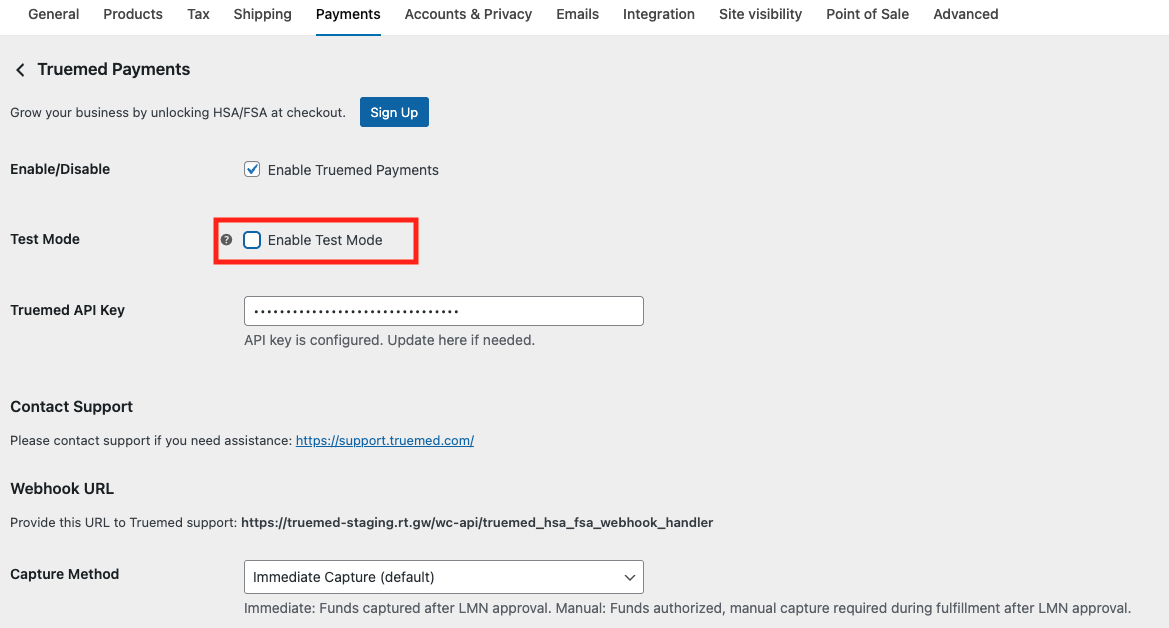
Navigate to the Truemed plugin settings and enter your sandbox API key. The sandbox API key can be created at https://dev.truemed.com/developers/api-keys.Then check the Enable Test Mode box.
Enable Test Mode only works with a sandbox API key. When you’re ready to go live, you must uncheck Enable Test Mode and replace the API key with your production API key.
Configure your sandbox webhook
Copy the webhook URL provided in Truemed plugin settings and provide it to Truemed via the sandbox webhook URL mangement page at https://dev.truemed.com/developers/webhooks/manage.
Place a Test Order
From your storefront, proceed through checkout and select Truemed as the payment method. Use the Stripe test card:
- Card number: 4242 4242 4242 4242
- Expiration: any future date
- CVC / ZIP: any values
This will create a test transaction without charging real funds.
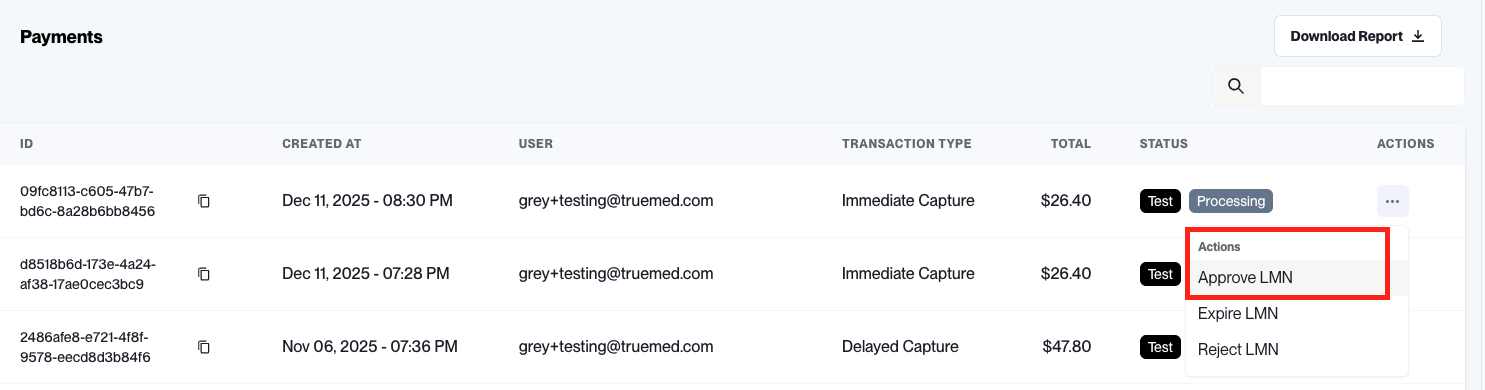
Approve the LMN
To move an order from Pending Payment to Processing, you’ll need to approve the Letter of Medical Necessity (LMN) for that order in the Truemed development dashboard at dev.truemed.com.