

How To Install
Installation of the WooCommerce plugin is one part of the process of onboarding with Truemed, and should only be started after you’ve received instructions from the Truemed team to do so.
Download the Plugin
Download the Truemed plugin from the WordPress Plugin Directory:
wordpress.org/plugins/truemed-hsa-fsa-payments
Install the Plugin
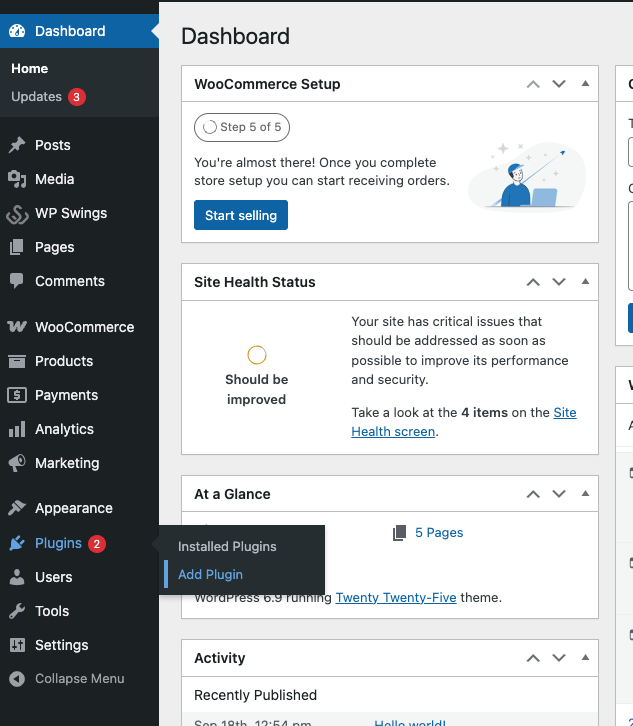
Step 1: In your WordPress admin, navigate to the Add Plugin page.
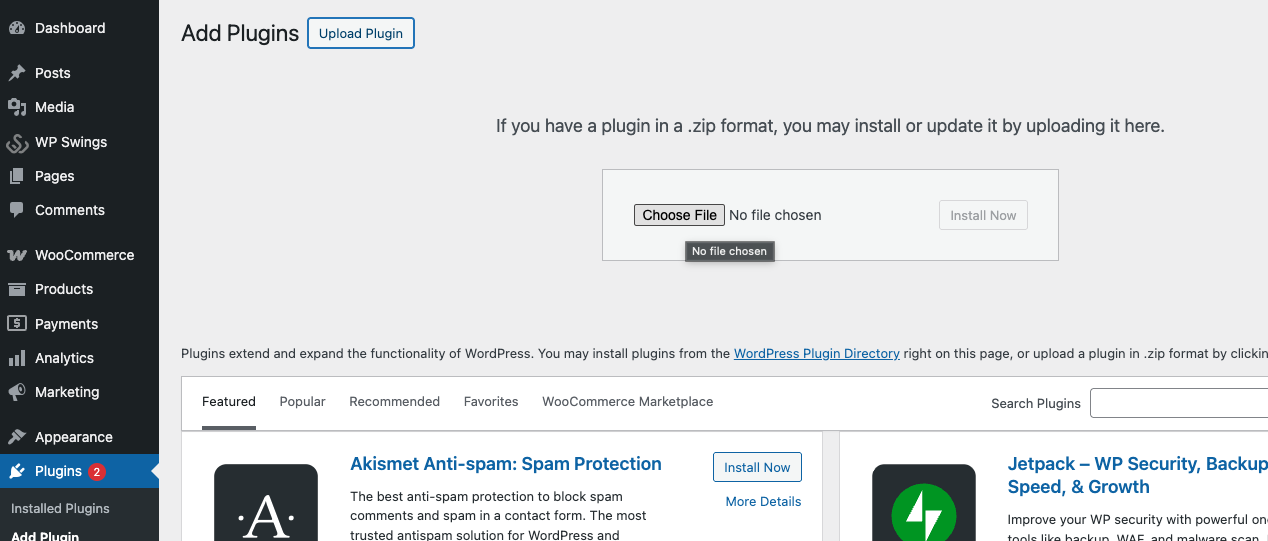
Step 2: Upload the plugin zip file you downloaded.
Configure the API Key
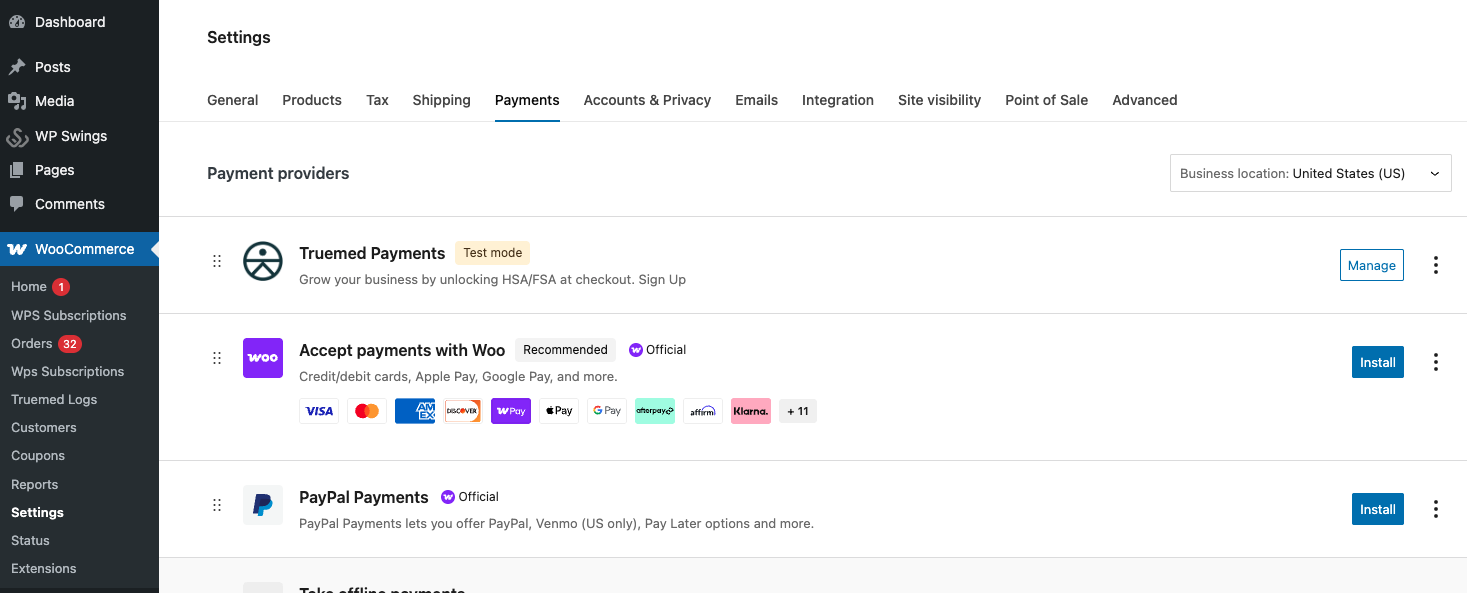
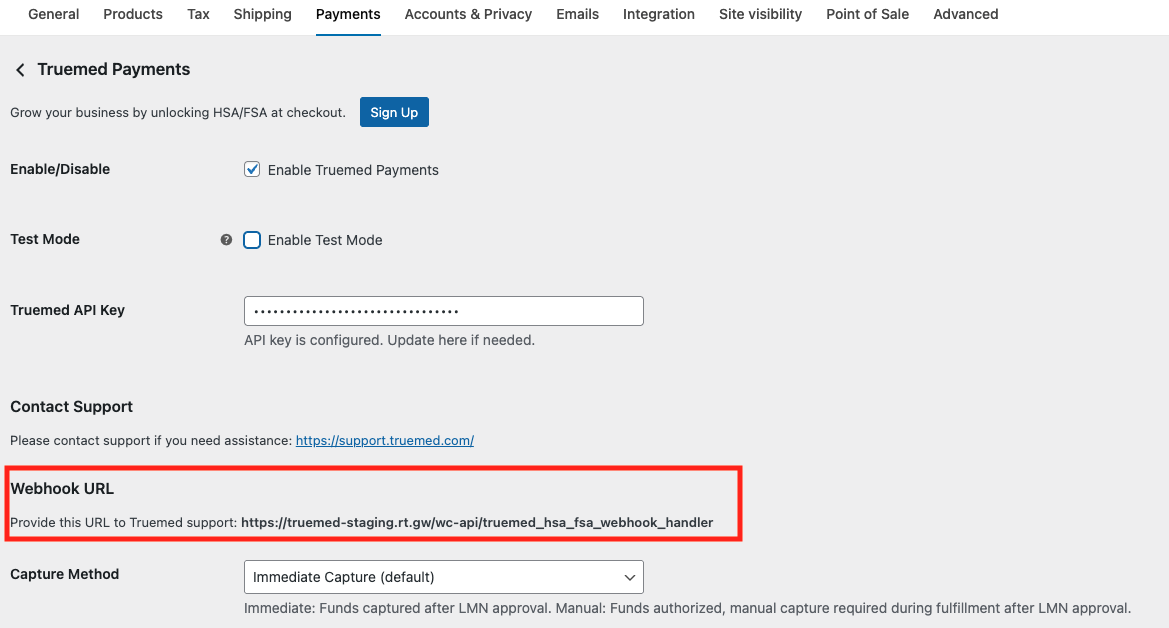
Step 1: Navigate to WooCommerce → Settings → Payments and click Manage on the Truemed Payments app.
Step 2: Enter your production API key and make sure Enable Test Mode is not checked. Your production API key can be created at https://app.truemed.com/developers/api-keys.
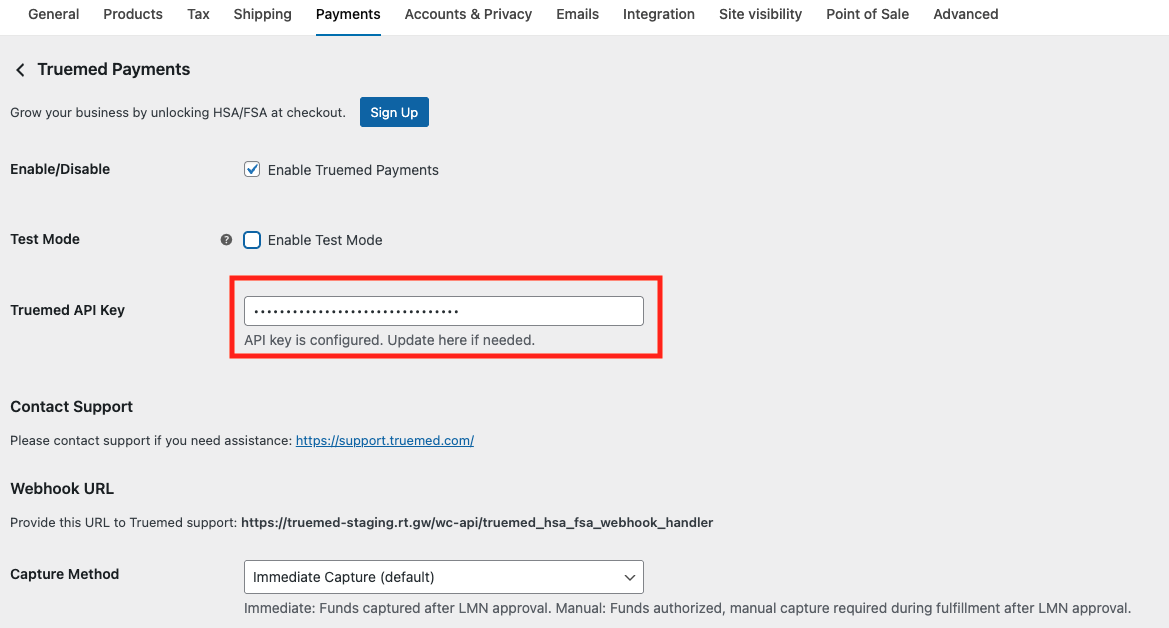
Step 3: Configure the Webhook URL in Truemed admin at https://app.truemed.com/developers/webhooks/manage.
Step 4: Click the Enable button to activate Truemed.
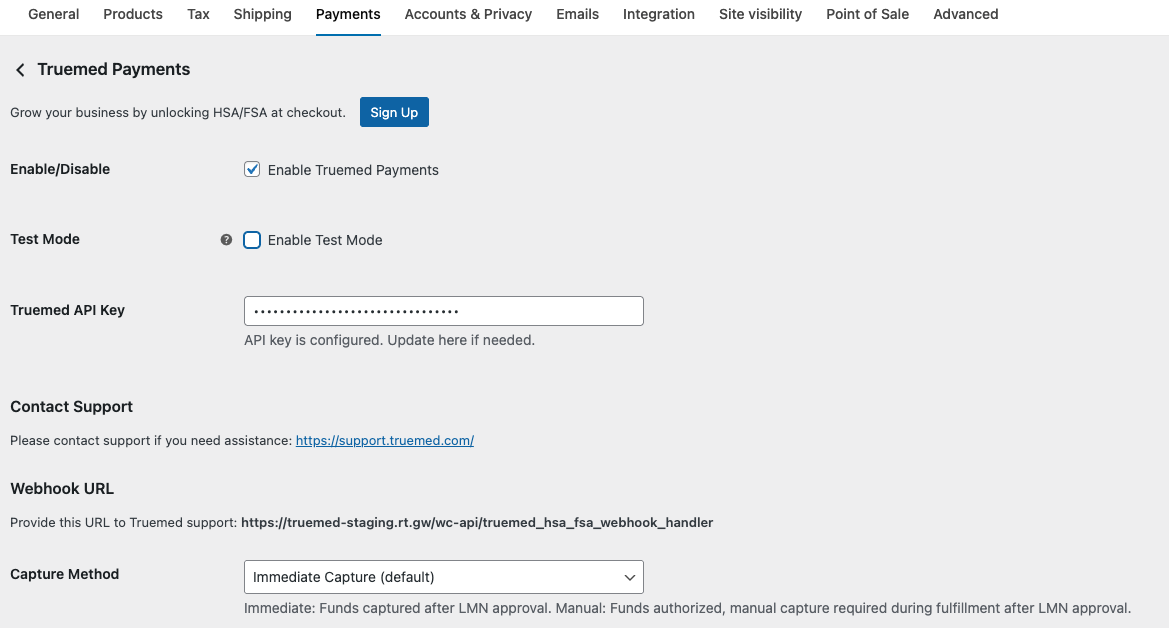
That’s it — Truemed is now available as a payment option at checkout for your customers.